 ARCORA ROBINETS
Touchless Delta Faucet Not Working? Here’s How to Diagnose and Fix It Fast
Vues:1 ClassificationProduct
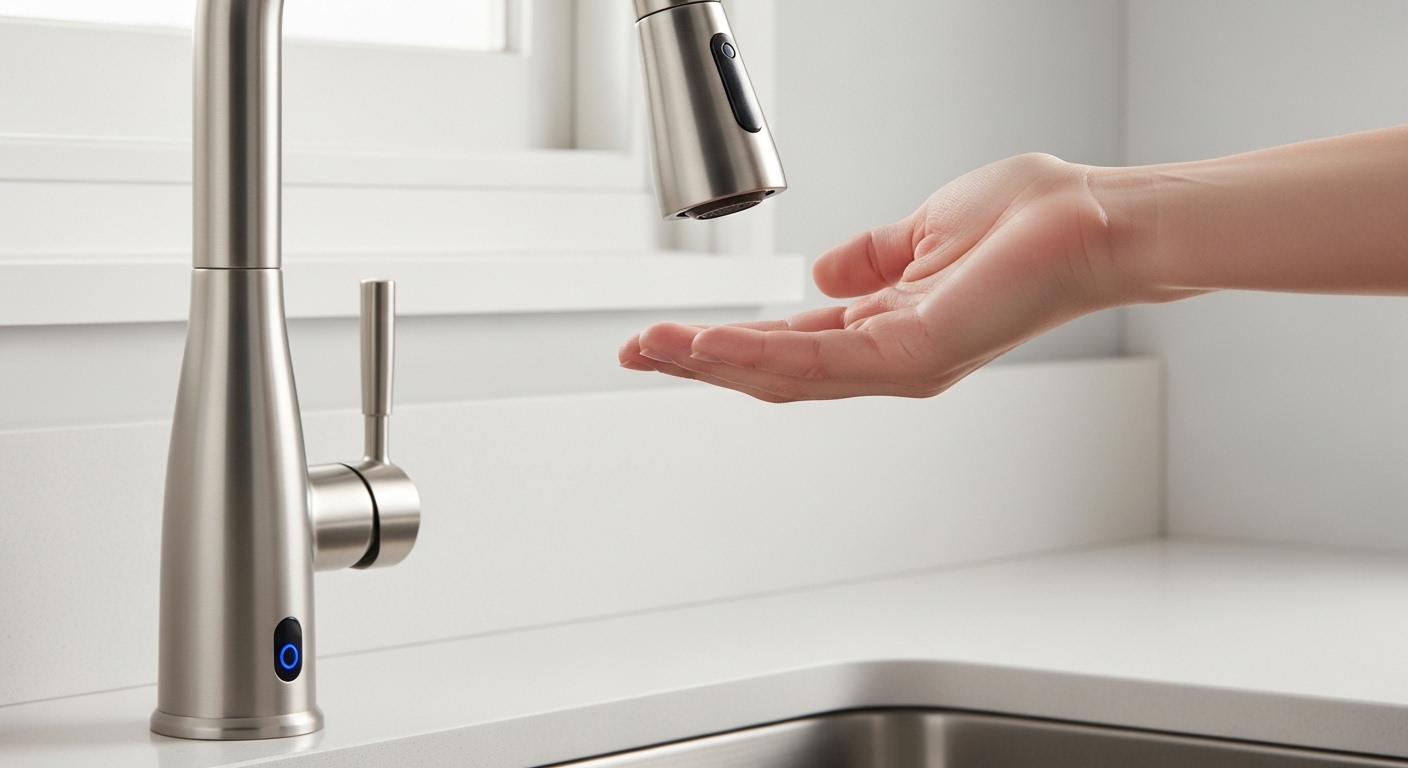
If your touchless Delta faucet not working has you waving your hand at the sink like it’s a broken magic trick, take a breath — this is one of the most fixable problems in the whole faucet world. Delta’s Touch2O and Touch20.xt technology is genuinely reliable, but it’s an electronic system layered on top of plumbing, which means when it acts up the cause is usually electrical, not mechanical. The good news: you rarely need a new faucet. You need fresh batteries, a firm connector, and about ten minutes. Below, we walk through exactly why these faucets quit, in the order you should actually check them, so you spend your time on the likely culprit instead of guessing.
At arcorarobinet, we sell, install, and stress-test touchless and touch-activated kitchen and bathroom faucets every week, so we’ve seen every failure mode this system has. This guide is the same triage checklist our support team walks customers through on the phone.
Why did my touchless Delta faucet suddenly stop responding?
Nine times out of ten it’s power: the batteries died, the solenoid lost connection, or the system needs a reset. Delta’s touch and touchless faucets run on a small battery pack (usually 6 AA batteries) or an optional AC adapter, and when voltage drops the sensor and solenoid simply stop firing — even though the faucet still works manually with the handle.
Here’s the mental model that makes troubleshooting easy. A Touch2O faucet has three electronic parts working together: the capacitive sensor (detects your touch or hand), the control box / battery pack (the brain and power source), and the solenoid valve (the electronic valve that physically opens and closes the water). If any one of those three loses connection or power, the whole touchless function goes dead while the manual handle keeps working. That’s your biggest diagnostic clue: if the handle still delivers water but touch/wave does nothing, the plumbing is fine and you’re chasing an electrical gremlin.
Common triggers for a sudden failure include batteries hitting end-of-life (typically 1–2 years for touch models, less for high-traffic touchless), a connector that vibrated loose from daily under-sink activity, a solenoid that latched into safety-shutoff after a power blip, or hard-water mineral buildup on the sensor ring interfering with capacitance.
How do I know if it’s the batteries, the solenoid, or the sensor?
Read the light. Delta builds a small LED into the solenoid (and on many models, the faucet base) that blinks a diagnostic code — the color and blink pattern tell you exactly which part is unhappy before you touch a single wire.
Open the cabinet under your sink and find the solenoid, a black cylindrical box roughly the size of a deck of cards with wires running into it. Watch its indicator light while a helper touches or waves at the faucet. Here’s what Delta’s signals generally mean:
| What you see | What it means | What to do first |
|---|---|---|
| Red light blinking on touch | Batteries low / need replacement | Install 6 fresh AA batteries |
| No light at all when you touch | No power reaching solenoid — dead batteries or unplugged connector | Check battery pack and reseat the connector |
| Blue/green light blinks but no water | Signal is reaching the solenoid but the valve isn’t opening | Check water supply valves; solenoid may be failed |
| Water runs but won’t shut off on touch | Sensor stuck or spout metal grounding out | Clean spout, check hose isn’t touching bare metal |
| Touch works, wave doesn’t (Touch20.xt) | Proximity sensor fouled by mineral scale | Wipe the sensor field; descale the spout |
This one habit — reading the LED before you start yanking on parts — saves people the most time. A red blink is a two-dollar battery fix, not a callout to your plumber.
How do I replace the batteries in a Delta touchless faucet?
Locate the battery pack under the sink, slide it off its mounting bracket, and swap in six fresh alkaline AA batteries — all six, all new, none mixed with old ones. The pack usually clips to the cabinet wall or hangs from the supply lines, connected to the solenoid by a single plug.
Walk through it in order:
- Clear out the cabinet so you can see and reach comfortably. A headlamp beats a flashlight you have to hold.
- Find the battery holder — a gray or black box holding 6 AA cells. Unclip it from its bracket.
- Remove all six old batteries and insert six new alkaline AAs, matching the + / − markings. Don’t use rechargeables; their lower voltage (1.2V vs 1.5V) can leave the solenoid underpowered.
- Reconnect the battery pack to the solenoid harness until the plug clicks fully home.
- Test: touch the spout or wave. You should hear a soft click from the solenoid and water should flow.
Two field notes. First, mixing one dead battery with five good ones will still cause failures, so replace the entire set. Second, if you use the faucet touchlessly all day (a busy family kitchen), consider Delta’s optional AC power adapter — it plugs into a nearby outlet and ends the battery-replacement cycle for good. If your outlet situation is complicated, that’s a different project, but it’s the single best upgrade for a heavily used touchless setup.
My batteries are fine but the faucet still won’t respond — now what?
Reseat every connector and do a full power reset. When power is confirmed good but the touchless function is still dead, the problem is almost always a loose connection or a solenoid that latched into shutoff — and both clear with a reset.
Do this sequence:
- Reseat the solenoid connector. Find the plug where the red and black wires meet the solenoid. Unplug it, check for corrosion or bent pins, and firmly push it back until it clicks. Vibration from daily cabinet use works these loose over time.
- Power-cycle the system. Disconnect the battery pack (or unplug the AC adapter) for a full 30 seconds, then reconnect. This forces the control electronics to reboot and re-calibrate the sensor baseline — the touchless equivalent of « turn it off and on again. »
- Check the sensor wire. A thin wire runs from the faucet body down to the solenoid carrying the touch signal. Confirm it’s seated at both ends. If it’s pinched or disconnected, touch does nothing.
- Verify the supply valves. Make sure both hot and cold shutoff valves under the sink are fully open. It sounds obvious, but a half-closed valve after other under-sink work is a classic « faucet won’t work » red herring.
If reseating and resetting bring it back to life, great — but note whether it recurs. A connector that keeps loosening may need its retaining clip checked, and a solenoid that repeatedly latches off can be failing. Speaking of leaks that can develop down there: if you also spot water pooling in the cabinet, that’s a separate plumbing issue worth reading up on in our guide to why a kitchen faucet leaks underneath the sink and how to fix it before it damages your cabinet base.
Why does my touchless Delta faucet turn on by itself or won’t turn off?
Phantom activation and won’t-shut-off both come from the same root: the capacitive sensor is being « grounded » or confused, usually by metal contact or mineral scale. The faucet reads a false touch and either triggers randomly or thinks you’re still touching it.
The most common cause is the spout or a supply hose resting against something metal — the sink basin, a metal drain pipe, a garbage disposal, or another faucet accessory — which creates a continuous ground path the sensor misreads as a permanent touch. Gently reposition hoses so nothing metal touches the faucet body or its lines, and make sure the spray hose weight isn’t clanking against the disposal.
Mineral buildup is the second cause. Hard water leaves scale on the spout and sensor field that changes how the faucet reads capacitance, producing erratic behavior. Wipe the spout down and descale it — the same vinegar-soak approach people use across faucet brands works here. If your home runs hard water, that scale is also quietly chewing up your aerator and internal valve, which is why we’re big believers in ceramic-disc cartridges for longevity; our roundup of the best kitchen faucets with ceramic valves in 2026 explains why that valve type shrugs off hard water far better than rubber-washer designs.
If cleaning and repositioning don’t stop the phantom triggering, power-cycle the faucet (30-second disconnect) to reset the sensor baseline. Persistent self-activation after all that usually points to a failing sensor module, which is a warranty item on most current Delta models.
Is it worth repairing, or should I replace the whole faucet?
Repair first — almost always. Because touchless failures are overwhelmingly electrical, the fix is usually a battery pack, a solenoid, or a sensor module, and Delta sells all three as replacement parts, most of them covered under warranty. Replacing a $40 solenoid beats replacing a $300 faucet.
Here’s how we’d frame the decision:
- Repair if the manual handle still works, the body and finish are in good shape, and the fault traces to batteries, a connector, the solenoid, or the sensor. These are bolt-in swaps.
- Consider replacement only if the faucet is old, the finish is failing, you’ve replaced the solenoid and sensor and it still misbehaves, or you simply want to move away from electronics toward a straightforward manual faucet.
Delta’s Touch2O electronics carry a specific electronic warranty (commonly 5 years on the electronic parts, with a lifetime limited warranty on the faucet’s finish and mechanical function for residential use). That means a genuinely dead solenoid or sensor often costs you nothing but a phone call and a few days’ shipping. Before you buy anything, register your model or dig out the receipt — proof of purchase speeds up warranty parts. If your faucet is a different brand entirely and behaving badly, the diagnostic logic still transfers; for example, our walkthrough on a leaking Glacier Bay kitchen faucet covers the same « isolate the failing part before you replace the whole unit » thinking.
A quick word on testing and standards (why quality matters here)
Touchless faucets aren’t just gadgets — the reputable ones are certified to the same performance and safety standards as any plumbing product. Look for faucets tested to ASME A112.18.1 / CSA B125.1 (the North American faucet standard) and NSF/ANSI 61 and 372 for drinking-water safety and lead-free compliance. Those certifications tell you the valve, the flow rate, and the wetted materials have been independently verified — which is exactly the kind of engineering that keeps a solenoid from failing prematurely. At arcorarobinet we only stock touchless and touch faucets that carry these certifications, because an electronic faucet lives or dies on the quality of its solenoid and control board.
FAQ
Why does my Delta touchless faucet work manually but not on touch?
Because the plumbing is fine and the electronics aren’t. Manual operation runs through the handle and cartridge; touch/wave operation runs through the sensor, control box, and solenoid. If only the touchless side is dead, replace the batteries and reseat the solenoid connector — that fixes the vast majority of these cases.
How long do the batteries last in a Delta Touch2O faucet?
Roughly 1–2 years for touch-activated models under normal household use, and less for full touchless (hands-free) models because the proximity sensor draws more power. If your batteries seem to die every few months, switch to the optional AC power adapter to eliminate the problem entirely.
Can I use my Delta touchless faucet with dead batteries?
Yes — every Delta Touch2O faucet still works with the manual handle even when the electronics are completely dead. You lose the touch and hands-free features, but you’ll still have full hot and cold water until you replace the batteries.
Why does my touchless faucet keep turning on by itself?
Almost always because the spout or a supply line is touching bare metal (the sink, drain, or disposal), which grounds the capacitive sensor and mimics a constant touch. Reposition the hoses so nothing metal contacts the faucet, descale the spout, and power-cycle the faucet for 30 seconds to reset it.
Where is the solenoid on a Delta touchless faucet?
Under the sink — it’s a black cylindrical box about the size of a deck of cards, with the water supply line running through it and a wire harness connecting to the battery pack and sensor. Its small indicator light is your best diagnostic tool; watch its blink pattern while someone touches the faucet.
Does hard water affect a touchless faucet more than a regular one?
In two ways, yes. Scale on the spout can interfere with the capacitive sensor and cause erratic behavior, and mineral buildup wears the internal valve faster. A ceramic-disc cartridge resists that wear far better, and periodic descaling keeps the sensor reading cleanly.
Author note: This guide was written by arcorarobinet’s fixtures team, drawing on hands-on installation and warranty-support experience with touch and touchless faucets across Delta, Moen, and other major brands. We test the products we sell against ASME/CSA and NSF/ANSI standards, and everything here reflects the actual troubleshooting sequence we use with customers. When in doubt, contact Delta or your retailer to confirm warranty coverage before replacing parts.



您好!Veuillez vous connecter